Suspicious Activity Detection Feature Released in September 2024
AccountOverview of Suspicious Activity Detection Feature (Fraud Detection)
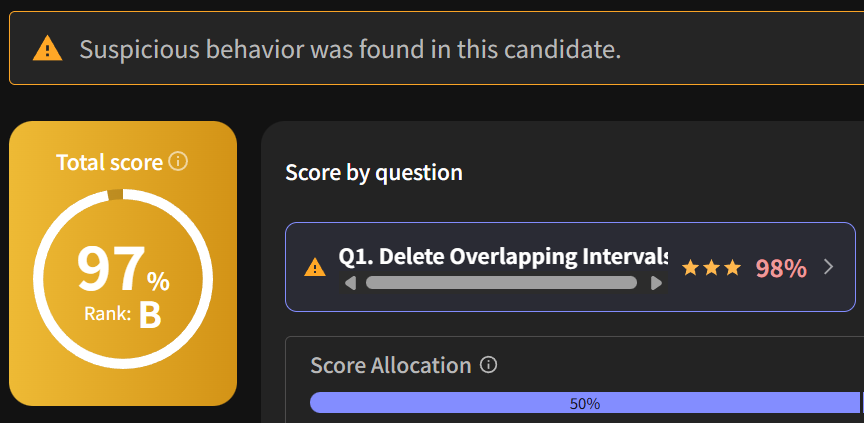
The "Suspicious Activity Detection Feature" analyzes the behavior logs of candidates during an exam using AI to determine the possibility of fraudulent behavior (such as copy-pasting from external sources). The detection results are displayed on the "Candidate List Screen" and the "Report Details Screen."
▼Display in the report
Background and Benefits of the Release
Previously, to identify answers that were merely copied and pasted from generative AI or the web, it was necessary to manually review the "playback function" of all reports.
With this feature, AI automatically screens reports suspected of fraud, allowing recruiters to efficiently identify reports that need detailed review, significantly reducing the effort involved in the selection process.
Key Features
- Automatic Detection of Suspicious Activity by AI
- AI calculates the suspicion level based on behavior logs during the exam.
- Status Display on Candidate List
- You can quickly see the presence or absence of suspicious activity on the list screen.
- Detailed Display within Reports
- The report details screen shows which specific questions had suspicious behavior detected.
Usage Conditions and Scope
To use this feature, the following conditions must be met:
Supported Plans Standard Plan or higher
Target/Applicable Tests
- Applicable format: Tests that include coding format questions
- Applicable period: Submissions made around or after 10:00 AM on September 20, 2024
- Exclusion conditions: Tests conducted with assistance features (Google Search, ChatGPT) turned ON are not eligible.
Notes
- We do not disclose details of the AI analysis algorithm or the reasons for detection for individual test reports. We appreciate your understanding in advance.
- For detailed specifications of the feature, please refer to What is Suspiciousness Score.
Inquiries and Requests
If you have any questions, please feel free to contact chat support or our representative.
Additionally, if you have any suggestions for improvements regarding this feature, please submit them using the form below. Submit a request here