How to Review AI-Collaborative Deliverables on GitHub
TroubleshootingProcedure
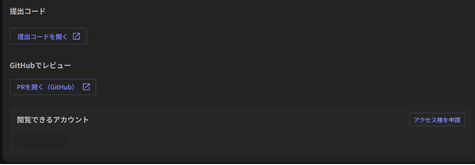
From the "Review on GitHub" section of the report screen for both AI-Collaborative and Practical formats, follow the steps below to request access.
- Click the "Request Access" button to open the dialog.
- Enter the GitHub account ID you wish to use for viewing, then click "Next."
- Review the details on the confirmation screen and click "Submit Request."
- Once the request is successful, a message saying "Account access granted" will appear, and the ID you entered will be added to the "Accounts with Access" list.
- With the list updated, click the "Open PR" button.
- Upon your first access, you will need to Accept the invitation on GitHub to view the actual PR created by the candidate.
Important
- Validity Period: Access is valid for 7 days from the time of the request. Once this period expires, the status will automatically change to "No Access."
- How to Request an Extension: If you need to view the PR again, please submit a new access request using the same account. Access will be granted for another 7 days from the time of the new request.
- Usage Note: Please refrain from using this feature for the purpose of conducting direct reviews on GitHub.