Quiz Format Reports
TroubleshootingHow to Evaluate Quiz-Based Tests and View Results
There are two types of quiz-based tests: "multiple-choice" and "descriptive." The evaluation method differs depending on the format.
Evaluation Logic per Test Type
- Multiple-choice
- After a candidate submits their answers, the submission is automatically and quantitatively evaluated.
- Descriptive
- AI automatically scores the answers.
- However, if nothing is entered and submitted, or if the task itself is not submitted, the score will automatically be processed as 0.
Definition of Evaluation Metrics
- Score
- Represents the "total score" for the test.
- Calculated based on the accuracy rate for all questions.
- Time Elapsed
- The total time taken to solve all problems (as of May 4, 2023).
Result Screen Structure
Submissions
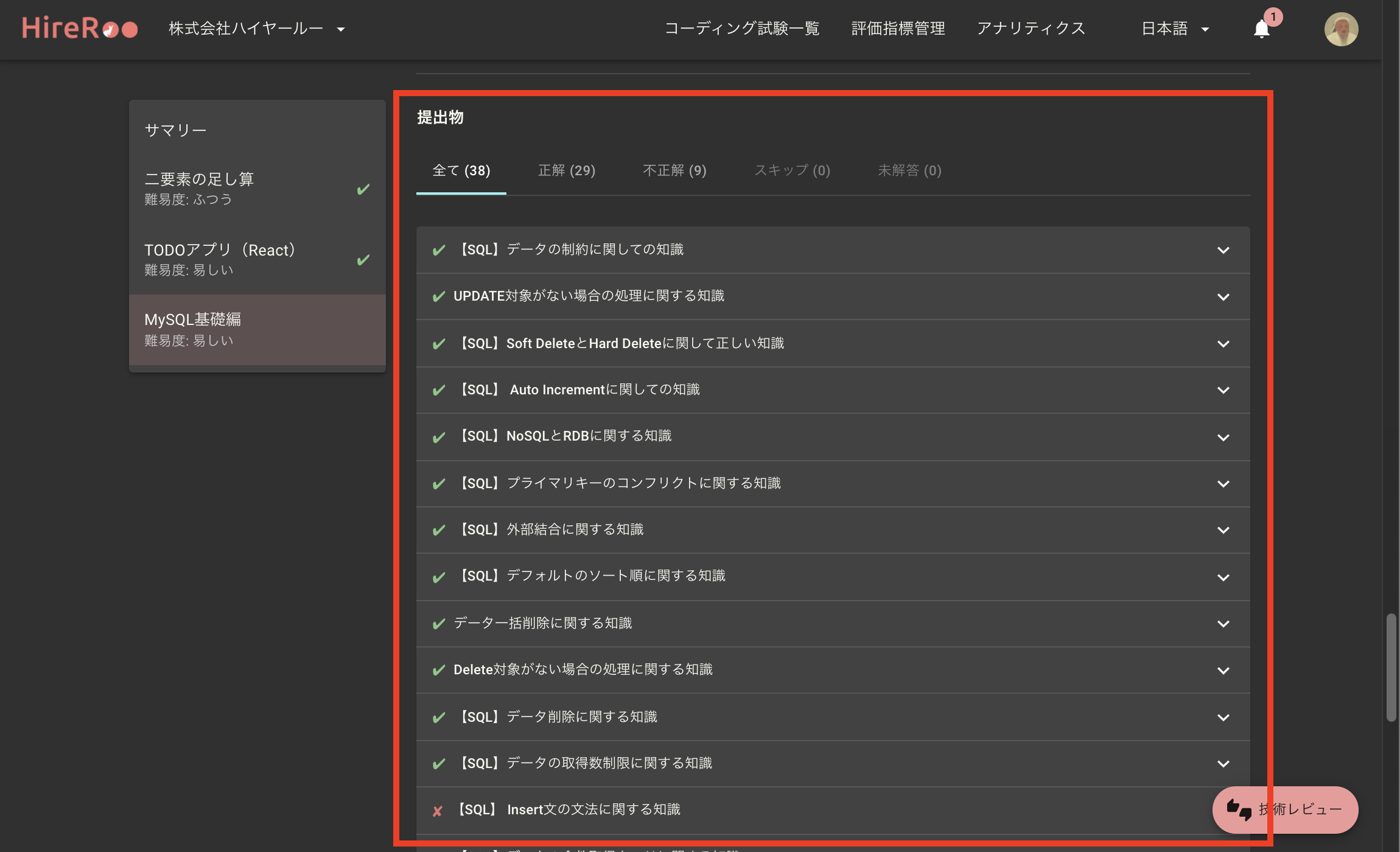
In the "Submissions" section, you can check the candidate's answer status by switching between tabs.
- Available Tabs: Correct answers, Incorrect answers, Skipped questions
- Detailed View: You can view the question text and answer details by clicking on each question.
Submission Process (Playback)
This feature allows you to chronologically review the candidate's thought process, such as which choices they deliberated over and how they arrived at the correct answer.
Applicable Plan This feature is available with the Standard Plan or higher.
On the playback screen, the background of the choices selected (clicked) by the candidate will be highlighted as follows:
- Green: Indicates that the correct option was selected.
- Red: Indicates that an incorrect option was selected.