Released Code Viewing and Diff Display Features for Submissions by September 2025
AccountFeature Update for Practical Format Tests: Improved Code Review and Diff Display
To make reviewing practical format test results more convenient, new functions have been added to the candidate report screen and problem details screen. The procedure for checking submitted code has been simplified, and changes (Diff) can now be understood intuitively.
Update Details
1. New "Submitted Code" Section
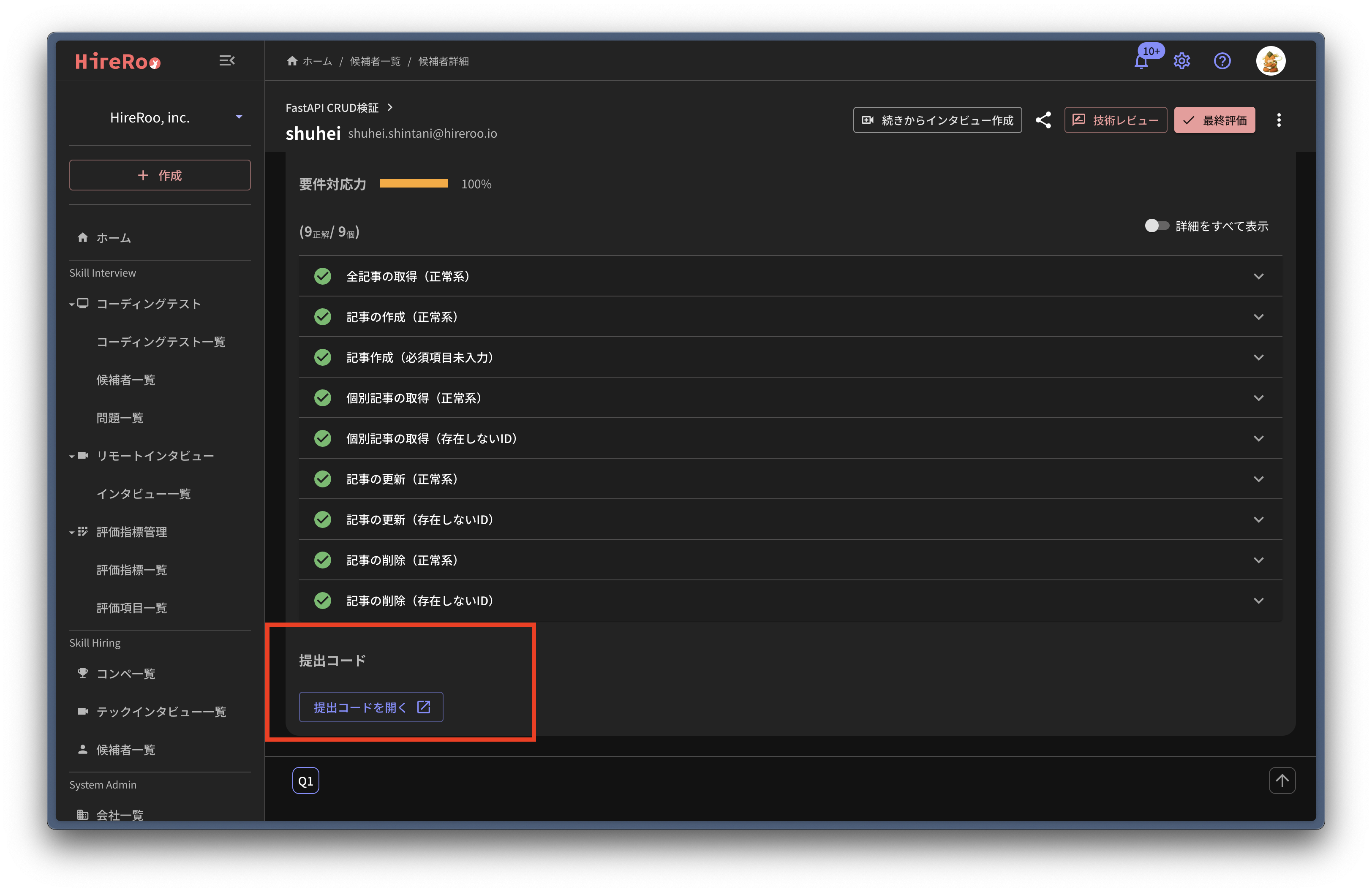
A "Submitted Code" section has been added to the bottom of the candidate report screen. Clicking the button will open a dedicated screen in a new tab where you can view the submitted code.
2. Visualization of Code Differences
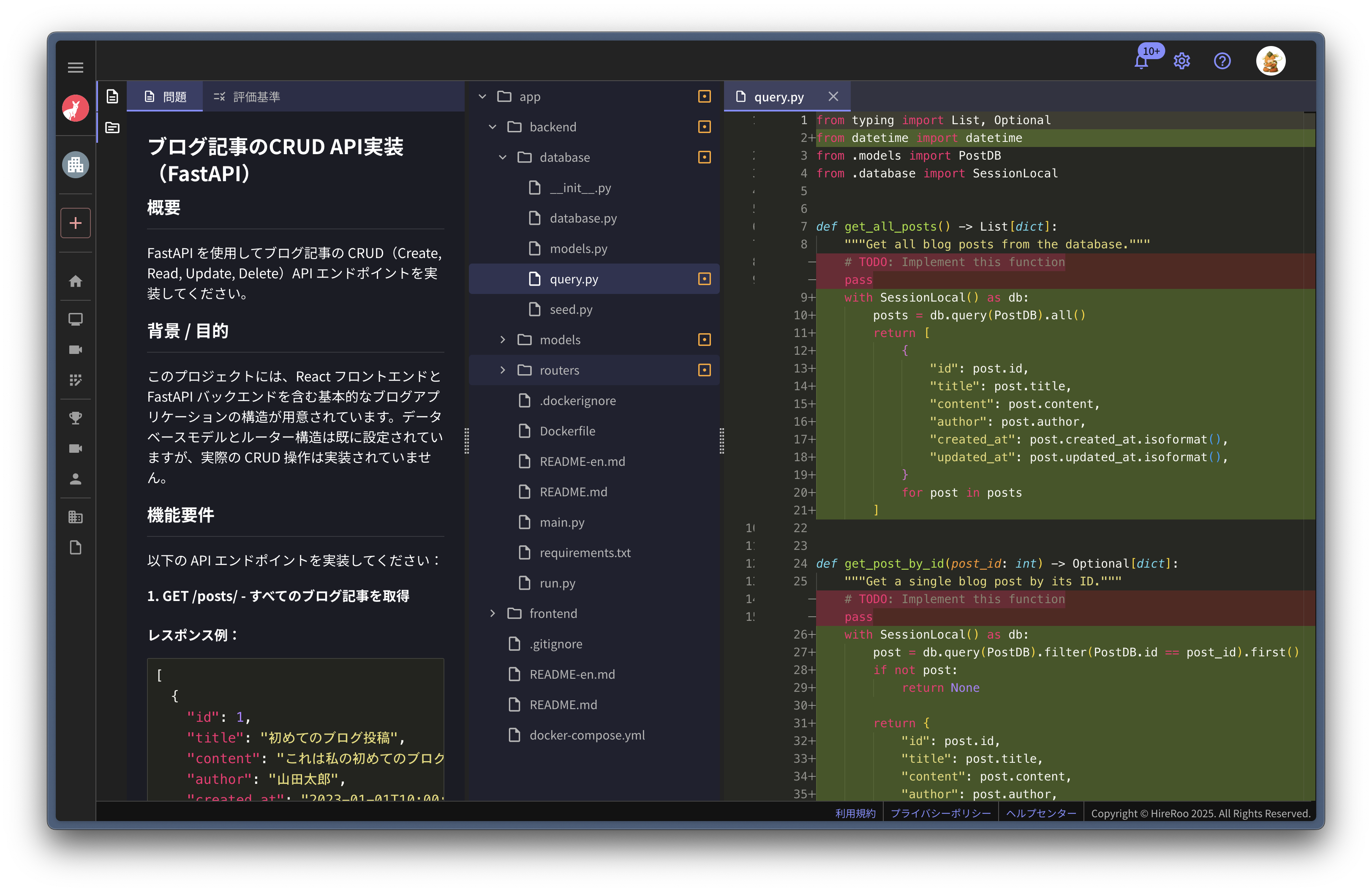
If there are differences (changes, additions, deletions) in the submitted code, you can view the changes by opening the file. Additionally, icons indicating the status will be displayed on the file tree, allowing you to see at a glance which files have been edited.
Icon Display Rules
Icons will be displayed on the file tree with the following color coding, depending on the type of difference:
Display per File
- Modified: Orange
- Deleted: Red
- Added: Green
Folder Display
Icons will also be displayed on the folders themselves, depending on the state of the files within the folder.
- Contains changes: Orange
- Contains additions only: Green
- Contains deletions only: No icon displayed
Supplementary Notes
- Display on Problem Details Screen
- On the "Problem Details screen" for practical format tests, if there are differences in the answer code, icons will be displayed on the file tree according to the same rules.
Benefits of Improvements
This update makes it more intuitive to grasp changes in submitted code, allowing for efficient evaluation of "where and how" candidates implemented their solutions.
Inquiries and Requests
If you have any questions, please feel free to contact us. For feature improvement requests, please use the form below.